ERC20 tokens are one of the most popular types of cryptocurrencies in the market. These tokens are built on the Ethereum blockchain and are used for a variety of purposes, ranging from utility tokens for decentralized applications to security tokens for fractional ownership of assets. As an investor or trader, it is important to keep track of the price of ERC20 tokens to make informed decisions about buying, selling or holding them. Fortunately, Chainbase provides a direct API Get token price to get the price of different ERC20 tokens.Documentation Index
Fetch the complete documentation index at: https://docs.chainbase.com/llms.txt
Use this file to discover all available pages before exploring further.
Overview - Tools you need to work with Chainbase
- A free account at Chainbase with an API key.
- An IDE. Our examples are shown in JavaScript, you can use VS Code as your IDE for example.
- A token address as your input.
Step 1: Set up a free account at Chainbase
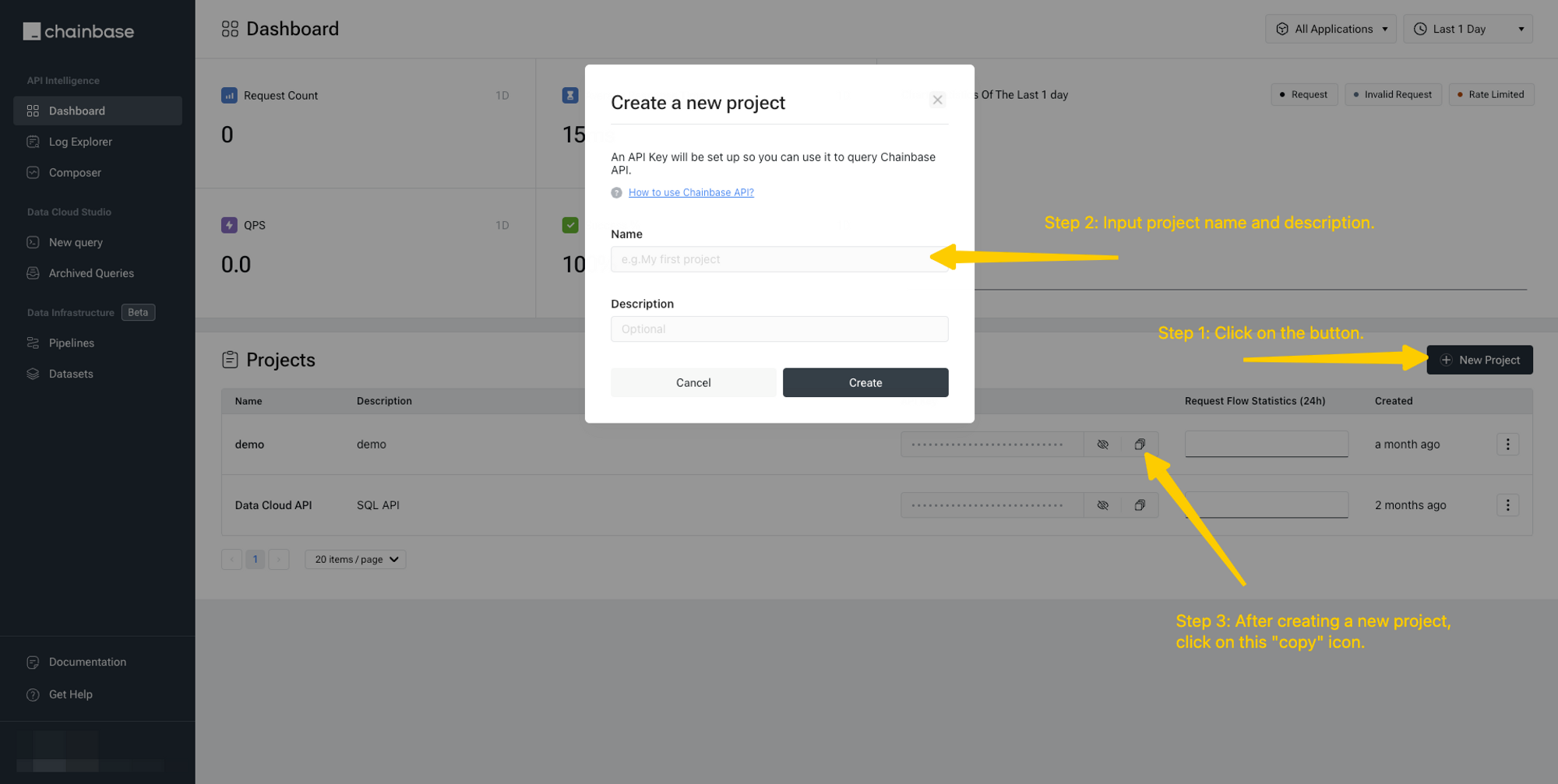
To better leverage the ability that Chainbase provides, you can register here for a free account and access to different APIs and data cloud. After logging into Chainbase, visit the dashboard to get an overview. Create a new project in the console and get an API key.
Step 2: Write script using Chainbase API
- Using
fetchin JavaScript.
- Using
axiosin JavaScript. You need to installaxiosusingnpm install axios --savein the terminal first.
Step 3: Print the token price
Chainbase API Get token price takes the chain id and the contract address of a certain ERC20 token as parameters, and returns the price of that token. To get data printed, run commandnode <filename>.js in the terminal. In this case, the return data looks as follows. Note that updated_at indicates the GMT time when you query the data, which may vary accordingly.